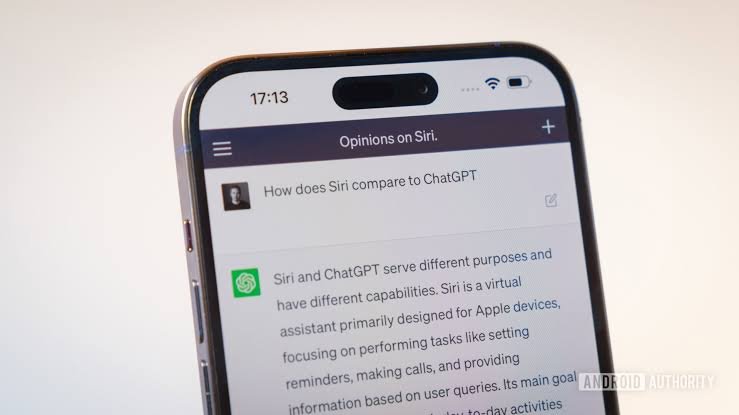
You type a question, hit enter, and watch a cursor blink. Ten seconds pass. Then twenty. Maybe the answer crawls out one word at a time, or the page freezes entirely.
If you’ve been asking yourself why ChatGPT is so slow, you’re not imagining it, and you’re not alone. The cause is often something you can fix in under a minute. Sometimes it has nothing to do with you at all.
This guide walks through the real reasons ChatGPT slows down, how to tell which one you’re facing, and what to do about each.
First, Figure Out What “Slow” Means
People use the word “slow” for three different problems, and each has a different cause.
- Slow to start. You send a message and nothing appears for a long time.
- Slow to stream. The reply begins but trickles out at a crawl.
- Stuck or frozen. The response stops midway, the page hangs, or you get an error.
Pinning down which one you have saves a lot of guesswork. A slow start often points to heavy model reasoning or server demand. A sluggish page usually points to the conversation itself or your browser.
Why Is ChatGPT So Slow? The Main Causes
1. Heavy demand on the servers
Why Is ChatGPT So Slow serves an enormous number of people at once. When traffic spikes, such as weekday mornings in busy time zones, exam season, or right after a big product launch, responses can slow down or fail. Free users tend to feel this first, since paid plans have generally been given higher priority, though the details change over time.
You can’t fix this one, but you can confirm it. OpenAI maintains a public status page that shows incidents and degraded performance. If it reports a problem, wait it out.
2. You’re using a model that “thinks” before answering
Newer reasoning-style models work through a problem internally before writing a reply. That extra deliberation can improve accuracy on math, code, and multi-step logic, but it also means a pause before the first word appears. A hard question can take noticeably longer than a casual one.
This is a trade-off, not a malfunction. If you’re asking for a synonym or a quick rewrite, a lighter, faster model is usually the better pick.
3. Your conversation has grown too long
This is the most overlooked cause. Each time you send a message, the model processes the relevant conversation history again. A chat with hundreds of exchanges, long pasted documents, or big code blocks gives it far more to work through. The browser also has to render all that text, which can make the page itself laggy.
If a specific chat feels heavy while a fresh one runs fine, this is almost certainly the reason.
4. You asked for a very long answer
Output length matters because the reply is generated piece by piece. A 2,000-word essay simply takes longer than a three-sentence answer, even at full speed. Requests like “write a detailed guide with examples and a table” are slow by nature.
5. Extra tools are running behind the scenes
Web browsing, file analysis, image generation, and code execution all add steps. When ChatGPT searches the web, reads a PDF, or runs a script, it’s doing real work before it can answer. Large uploads, such as a long spreadsheet or scanned document, take longer to process.
6. Your browser or extensions are getting in the way
Ad blockers, privacy tools, VPN extensions, and grammar checkers can interfere with how the page loads and streams text. A browser with dozens of open tabs, or one that hasn’t been restarted in weeks, can make a perfectly healthy service feel broken.
7. Your internet connection is the bottleneck
ChatGPT streams its answer as it writes. An unstable connection, congested Wi-Fi, or a slow VPN route can make that stream stutter or stall. Public networks and shared connections are common offenders.
8. A temporary glitch in your session
Sometimes the problem is a stale session, a bad cached file, or a stuck request. These are annoying but easy to clear, which is why the first fixes below are so basic.
9. Prompts that are vague or overloaded
A prompt that crams in ten tasks, or one that’s so open-ended the model has to guess your intent, can produce longer, wandering replies. That’s not strictly a speed problem, but it feels like one when you wait for an answer you then have to redo.
How to Speed ChatGPT Up: A Practical Checklist
Work through these roughly in order. They go from fastest and easiest to more involved.
- Check the status page. If there’s an active incident, stop troubleshooting and take a break.
- Start a new chat. If a long conversation is lagging, copy the key context into a fresh one. This fixes more problems than any other single step.
- Refresh the page or restart the app. It’s basic, but it clears stuck sessions.
- Try a different model. Switch to a faster option for simple tasks and save the slower reasoning model for hard problems.
- Shorten your request. Ask for what you need, not everything you might conceivably want. You can always ask for more.
- Disable browser extensions. Open ChatGPT in a private window, where most extensions are off by default. If it speeds up, an extension is the culprit.
- Clear cache and cookies for the site, or try another browser entirely.
- Test your connection. Switch networks, turn off your VPN, or move closer to your router.
- Try the mobile or desktop app if the website is struggling, or the reverse.
- Try again at a different time. If you can, avoid peak hours.
Common Mistakes That Make It Worse
Resending the same prompt repeatedly. Hammering the send button, or opening several tabs with the same request, doesn’t speed anything up and can add to the delay.
Treating one endless chat as a filing cabinet. Keeping every task in a single thread feels organized, but it steadily degrades performance and can muddy the answers too.
Using the most powerful model for everything. More capable doesn’t mean better for every job. For quick edits, a faster model is often just as good.
Pasting huge documents when a section would do. If you only need feedback on chapter three, don’t upload the whole book.
Assuming it’s always your fault. Sometimes the slowdown is on the provider’s side, and no amount of tweaking will change that.
Expert Tips for a Faster Experience
- Summarize before you continue. When a chat gets long, ask ChatGPT for a brief summary of decisions and context, then paste it into a new conversation.
- Break big jobs into stages. Ask for an outline first, then expand section by section. You get usable results sooner and can steer along the way.
- Be specific about length. Saying “in under 150 words” prevents long replies you didn’t need.
- Keep one task per chat when the work is complex. It’s faster and tends to be more accurate.
- Set realistic expectations. Tools that search, analyze files, or reason step by step will always take longer than plain text replies. Waiting a bit is part of the deal for better output.
When Slowness Is Out of Your Hands
Some slowdowns can’t be solved from your side: outages, regional network issues, and heavy traffic after major releases. In those cases, the most productive move is to wait and check back rather than keep changing settings. If the problem lasts for days and the status page shows nothing, contact support with details: the device, browser, model, and what you were doing when it slowed down.
Frequently Asked Questions
Why is ChatGPT so slow today when it was fine yesterday?
Usually it’s temporary: high traffic, a service incident, or a long conversation that has grown heavy. Check the status page first, then try a new chat.
Does a longer conversation really slow ChatGPT down?
Yes. The model has more context to process with every message, and your browser has more text to display. Starting a fresh chat is often the quickest fix.
Is the paid version faster than the free version?
Paid plans have generally offered better access during busy periods, but this depends on the plan and changes over time. A paid account won’t fix problems caused by your browser, connection, or an overly long chat.
Why does ChatGPT take so long to start responding?
Reasoning-focused models spend time working through a problem before they write anything. Web searches, file analysis, and other tools also add delay before the first word.
Can my browser or extensions slow ChatGPT?
Definitely. Ad blockers, VPNs, and other extensions can interfere with streaming. Try a private window or a different browser to test.
Why does ChatGPT stop in the middle of an answer?
Common causes are a dropped connection, a service hiccup, or a very long response hitting a limit. Refreshing and asking it to continue usually works.
Will clearing my chat history make it faster?
Not by itself. What matters is the length of the individual conversation you’re using, so starting a new chat helps more than deleting old ones.
Is it normal for image or file tasks to be slower?
Yes. Processing uploads, running code, and generating images take extra steps, so they naturally take longer than text.
Final Thoughts
If you keep wondering why ChatGPT is so slow, remember that the cause usually falls into one of three buckets: the service is busy, the task is demanding, or something on your end is getting in the way. The first you wait out. The second you can manage by choosing the right model and keeping requests focused. The third you can fix in minutes.
Start with the easy moves: check the status page, open a new chat, and try a lighter model. In most cases, that’s enough to get things moving again.